Table of Contents
- What is digital signage and how does it work
- Types of digital signage
- Digital signage for NZ retail
- Digital signage for NZ hospitality
- Digital signage for NZ healthcare
- How content actually gets managed
- What digital signage costs to run
- Digital signage vs a regular TV screen
- Questions to ask before choosing a supplier
- FAQs
Digital signage is any screen showing content that’s controlled and updated through software rather than printed and physically replaced. That one distinction, software-controlled versus printed, is what separates a proper digital signage system from just mounting a TV on a wall. This guide covers what it actually is, how New Zealand retail, hospitality and healthcare businesses use it, and what to ask before choosing a supplier.
What is digital signage and how does it work
When content changes in the software, it pushes out to the screen automatically, either instantly or on a schedule you set. A retailer can update a promotion across every store from one dashboard. A restaurant can switch a menu board from breakfast to lunch at exactly 11am without anyone touching the screen.
Types of digital signage
- Promotional and advertising screens, showing offers, new products or brand content
- Digital menu boards, used in hospitality to display food and drink menus that can change by time of day
- Informational displays, showing announcements, opening hours, wait times or general information
- Interactive digital signage, touchscreens that let a customer browse a catalogue, check stock or find a location
- Video walls and large-format displays, multiple screens combined for a bigger visual impact in a lobby or storefront
Digital signage for NZ retail, hospitality and healthcare
The same underlying technology serves very different purposes depending on the industry:
| Industry | How it’s typically used |
|---|
| Retail | In-store promotions, new arrivals, category signage, storewide campaigns updated from one dashboard |
| Hospitality | Digital menu boards that change by time of day, daily specials, upsell prompts at the counter |
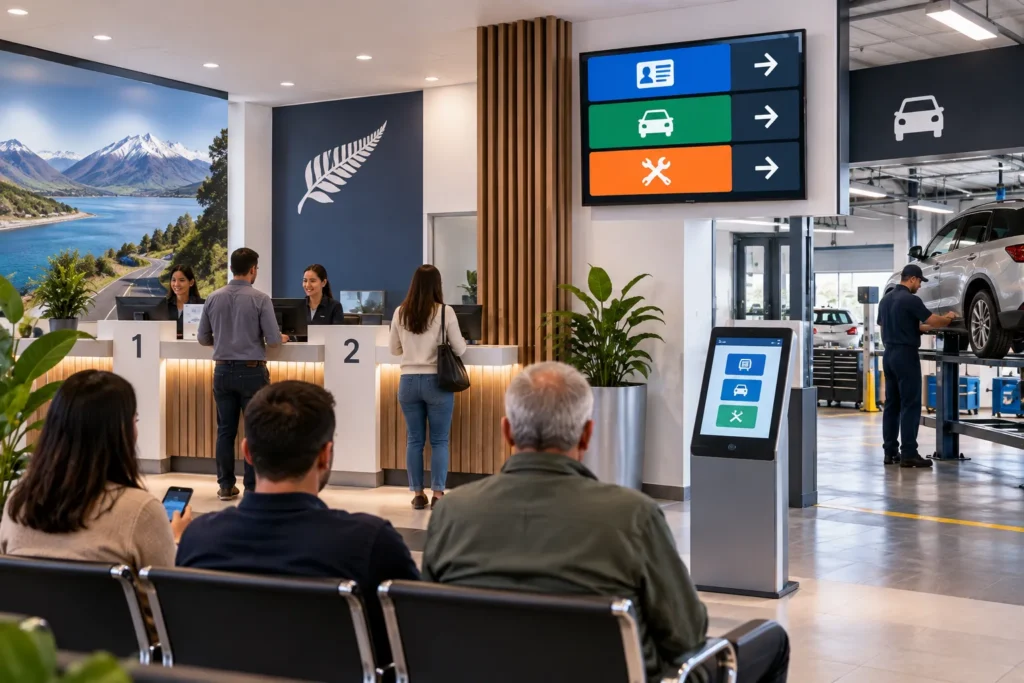
| Healthcare | Waiting room information, health announcements, general patient communication |
In retail, the biggest practical win is being able to launch or pull a promotion across every store at once, rather than printing and distributing posters. In hospitality, a digital menu board means a price or item change happens in the software, not with a print shop. In healthcare settings, digital signage is mainly about keeping patients informed while they wait, without staff needing to manually update a noticeboard.
How content actually gets managed
Content management is the part that makes digital signage worth using over a plain screen. Most systems let you schedule content in advance, so a breakfast menu switches to a lunch menu automatically, or a weekend promotion starts and ends on its own. If you run more than one location, you can usually manage every screen from a single dashboard, pushing the same content everywhere or tailoring it store by store.
Screens don’t need a constant internet connection to keep displaying content once it’s loaded, but they do need connectivity to receive updates. If a screen loses its connection, it typically keeps showing the last content it received rather than going blank.
What digital signage costs to run
Same honesty as we give on every pricing question: nobody in this market publishes a flat rate card, because it depends on screen size, quantity, and how many locations you’re running. What actually drives the cost is the screen hardware itself, the media player or processor, the software subscription for content management, and installation and mounting. A single-screen setup in one café is a different quote to a ten-screen rollout across multiple stores. If you want the real number for your business, that’s a conversation, not a guess, and we’ll walk through it properly rather than throw out a figure that doesn’t apply to your situation.
Digital signage vs a regular TV screen
A TV shows whatever’s plugged into it. Digital signage is built to be managed remotely, scheduled in advance, and updated without anyone touching the screen physically. You could technically plug a laptop into a TV and call it signage, but you’d be back to manually swapping content, which defeats the point. The software layer, not the screen itself, is what makes something digital signage rather than just a television on a wall.
Questions to ask before choosing a supplier
- Can you manage all your screens from one dashboard, even across multiple locations?
- Does the content scheduling support day-parting, like switching a menu automatically by time of day?
- What happens to the screen’s display if it loses internet connection?
- Who handles installation and mounting, and is support based in New Zealand?
- Can you see a reference installation in a similar retail, hospitality or healthcare setting?
Considering digital signage for your store, restaurant or facility?
EON Solutions supplies, installs and supports the full system across New Zealand.
Frequently Asked Questions About Digital Signage for NZ Businesses